One project that needs two Node.js versions
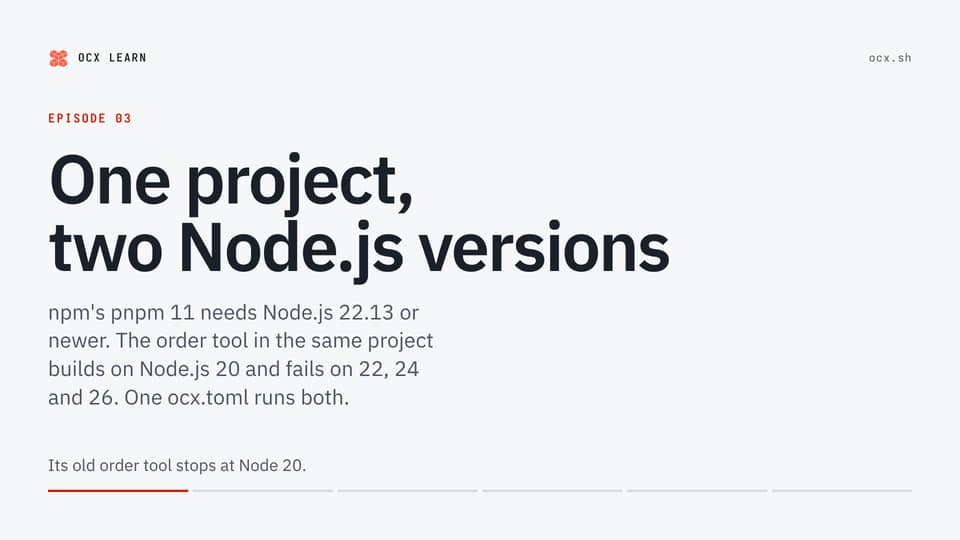
npm's pnpm 11 needs Node.js 22.13 or newer: on Node.js 20 it warns and crashes on node:sqlite. In the same project, an order tool on better-sqlite3 8.6.0 has ready-built binaries up to Node.js 20 only and fails to compile on 22.23.4. No Node.js satisfies both, and apt in an ubuntu:24.04 container quietly installs Node.js 18 as a dependency of npm. One ocx.toml carries both: the default tools on Node.js 26 with pnpm 11, and a fossil group on Node.js 20 that ocx exec -g fossil runs.
Duration
Transcript
Your project adds pnpm 11, which needs Node 22.13 or newer.
Its old order tool stops at Node 20.
With only the system's Node, a machine has one version. Here is how both run anyway.
In shop, pnpm 11 needs Node 22.13 or newer.
The order tool uses better-sqlite3 8.6.0, ready-built only up to Node 20.
One needs at least 22.13. The other stops at 20.
First, put the machine on Node 22.
pnpm 11 runs.
But in the order tool, npm ci fails.
There is no ready-built binary for 22, so npm compiles it, and the compile fails.
Node 24 and 26 fail too.
Switch the machine to Node 20.
pnpm 11 warns, starts anyway, and crashes.
Node 20 has no built-in SQLite module, and pnpm 11 loads one.
The order tool installs and runs.
With only the system's Node, every switch between the two is a reinstall.
Sometimes nobody chose it. A CI job in a plain Ubuntu container starts with no Node.
apt offers exactly one: 18.19.1.
Installing npm pulls in 667 packages, and Node 18 is one of them.
apt marks it as automatic: a dependency nobody asked for.
And pnpm 11 refuses to start on it.
In shop's ocx.toml, pnpm 11 joins Node 26 in the default tools.
ocx add -g fossil pins Node 20 in a group of its own.
The default pins stay as they were.
OCX's pnpm brings its own runtime, so npm's floor does not apply.
Now the same machine, with OCX.
In shop: Node 26, and pnpm 11.
In the order tool, -g fossil: npm ci works, and the orders run on Node 20.
Back in shop, Node 26 again.
No Node was reinstalled between the switches.
Try it: one ocx.toml, and a group for the part that cannot move.
The installer and the guides are at ocx.sh.
Next: the shell hook, which puts the default tools on the path as you enter the project.
Embed this video
HTML
<div style="aspect-ratio:16/9"><iframe src="https://ocx.sh/learn/videos/03-second-tool/embed/" title="One project that needs two Node.js versions" loading="lazy" allow="fullscreen" style="width:100%;height:100%;border:0"></iframe></div>MDX or JSX
<div style={{aspectRatio: '16/9'}}><iframe src="https://ocx.sh/learn/videos/03-second-tool/embed/" title="One project that needs two Node.js versions" loading="lazy" allow="fullscreen" style={{width: '100%', height: '100%', border: 0}}></iframe></div>README Markdown
[](https://ocx.sh/learn/videos/03-second-tool/)Duration

Transcript
Rexy's shop is one project with two parts.
Rexy: My shop moves to pnpm 11!
Pecky: And orders is my part. It is old!
The machine has Node.js 22.
Pecky: Oh no. My orders!
So Rexy switches the machine to Node.js 20.
With only the system's Node.js, every switch is a reinstall.
Rexy has a problem.
Rexy: Which Node.js is on right now?
In an ubuntu:24.04 container, Steggo installs only npm.
Steggo: I only need npm!
Steggo: Node.js 18? I never asked!
What can he do?
Rexy: Can one project carry two Node.js versions?
Bronto: Yes. Give the old part a group.
One ocx.toml, two Node.js: 26 for shop, 20 for orders.
Same machine, same project. No Node.js is reinstalled.
Rexy: Both run. No Node.js reinstalled!
Rexy: But ocx exec before every command?
One project can carry two Node.js versions.
Embed this video
HTML
<div style="aspect-ratio:16/9"><iframe src="https://ocx.sh/learn/videos/03-second-tool/dino/embed/" title="One project that needs two Node.js versions" loading="lazy" allow="fullscreen" style="width:100%;height:100%;border:0"></iframe></div>MDX or JSX
<div style={{aspectRatio: '16/9'}}><iframe src="https://ocx.sh/learn/videos/03-second-tool/dino/embed/" title="One project that needs two Node.js versions" loading="lazy" allow="fullscreen" style={{width: '100%', height: '100%', border: 0}}></iframe></div>README Markdown
[](https://ocx.sh/learn/videos/03-second-tool/#dino)